Collage Maker | Photo Editor
- 4.9
- Rating
- 100.00M
- Installs
- Free
- Price

 Analysis by App-foxy
I opened Collage Maker | Photo Editor expecting a quick way to place several pictures together, and that is still where it makes the strongest first impression. It is a photography app from Photo Editor & Collage Maker that focuses on turning a group of images into something ready to share, rather than asking me to learn a complicated editing workflow. The free starting price also makes it easy to try before deciding whether the optional purchases are worthwhile.
What makes it more useful than a basic grid tool is the amount of creative control packed around the collage itself. I can begin with a layout, adjust the visual treatment, add text or stickers, and then decide whether the result feels like a clean photo arrangement or a more decorated social post. That flexibility is helpful when I want something finished in a few minutes, but it can also make the first session feel busier than the simple store name suggests.
How the current app feels in everyday use
I find the app easiest to judge in a shared household routine: one person gathers photos from a day out, while someone else helps choose which moments belong together. That makes the collage a small coordination task, not just an editing one. I’ll look at how to keep that process comfortable on a shared device, including the practical boundary between collaborating on a project and handing over the phone.
You May Also Like

 Blood Strike: 2.5 Anniversary
Blood Strike’s Loadouts Turn Every Drop Into a Tactical Gamble
A close look at Blood Strike’s custom loadouts: how fast access to signature weapons reshapes its battle royale rhythm, rewards preparation, and narrows the gap between fights.

 Pandora - Music & Podcasts
Pandora’s Music Is Easy to Start, but Harder to Recover
Pandora’s strength is its low-effort path from a seed to a station. Its weak spot is how much confidence it asks you to place in connection, setup, and quiet recovery.

 8 Ball Pool
 Is Built on Rivalries, Rematches, and Routine
A close look at the rivalries, rematches, shared routines, and unanswered safety questions that turn a quick pool match into a persistent mobile community.

 Samsung Music
’s Quiet Strength Is Playing What You Already Own
Its reach comes less from spectacle than from dependable access to a personal library. That simplicity is both the app’s strongest retention engine and its ceiling.

 AccuWeather: Weather Radar
AccuWeather Review: A Quick, Clear Forecast for Everyday Decisions
For everyday plans, the best forecast is the one you can understand quickly. AccuWeather makes rain timing, radar, and local conditions easy to act on, with a few trade-offs.

 Hill Climb Racing
Why Hill Climb Racing Still Turns Crashes Into One More Run
A tiny car, a bumpy hill and one more upgrade: Hill Climb Racing keeps resurfacing because its simple chaos makes every near-miss feel personal.
More From Our News Desk



A quick workflow that suits ordinary photo moments
The most natural use case is a small collection of photos that belong together: a weekend outing, a birthday table, a set of outfit pictures, or several snapshots from a family day. Instead of choosing one image and editing it in isolation, I can treat the whole group as a single composition. The app’s central idea is practical: select the memories, choose a structure, and refine the presentation without moving into a full desktop-style editor.
I especially like this approach for situations where a single photo does not tell the whole story. A vacation image may show the view, while another captures the food and a third includes the people who were there. A collage lets me keep those details together. It also works well when I want to send a visual update to friends without writing a long explanation for every picture.
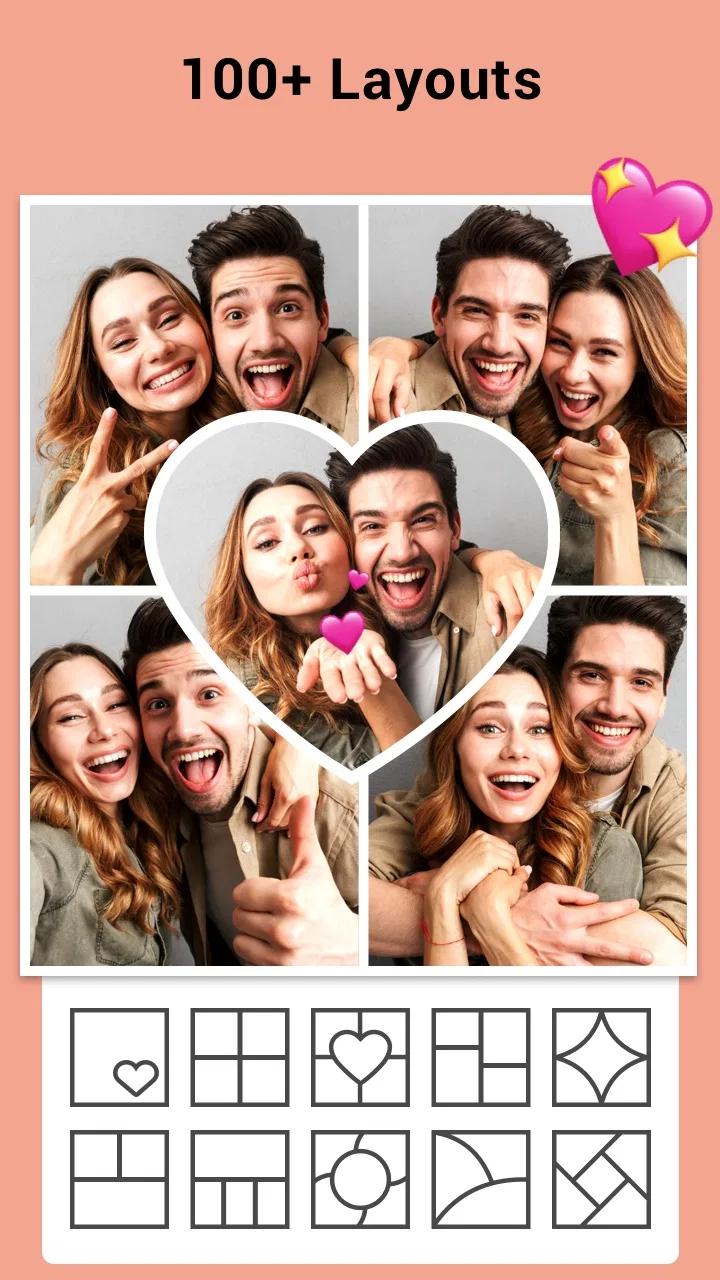
The large selection of layouts is both a strength and a small challenge. Having more than a thousand arrangements means I am unlikely to run out of basic structures quickly, but browsing so many choices can slow me down when I only need a straightforward four-image grid. My practical advice is to decide the purpose first. For a clean family record, start with symmetrical layouts; for a social post, look for a design with a stronger focal image and smaller supporting frames.
Editing beyond simply placing images
The app becomes more interesting after the photos are positioned. Filters can give a mixed group of images a more consistent mood, which is useful when the pictures were taken under different lighting. I would not apply a dramatic effect automatically to every image. A light, shared treatment usually looks more intentional than giving each frame a different style.
Stickers and text are better for specific jobs than for decoration everywhere. A short date, location, or inside joke can make a collage feel personal. Stickers can help a birthday or travel design, but too many can hide the photos that made the collage worth creating. I found that leaving some open space is often more effective than filling every available corner.
A useful workflow is to build the layout first, then crop each photo so the important subject remains visible, and only afterward add text. If I add words too early, I tend to choose a design around the text rather than around the pictures. This order also makes it easier to notice whether faces, signs, or other key details are being cut off by the frame.
Where it fits among familiar alternatives
Compared with a standard phone gallery editor, this app is more suitable when several images need to become one shareable piece. A gallery editor is usually faster for cropping one picture, correcting light, or making a small adjustment. I would not replace that tool with this app for single-photo touch-ups.
Compared with a full design platform, Collage Maker | Photo Editor feels more immediate. I do not need to start with a blank canvas or make every spacing decision myself. That is an advantage for casual users and for anyone working from a phone during a busy day. The trade-off is that a dedicated design app may offer finer control over typography, layers, alignment, and brand consistency.
It also differs from a simple collage utility because the creative extras are part of the same workflow. I can move from arrangement to visual styling without exporting the image to another application. For a polished professional campaign, I would still choose a tool built around templates and precise design systems. For personal photo combinations, this app is the more comfortable middle ground.
A realistic example: preparing a small event recap
Imagine I have just returned from a friend’s birthday dinner with eight usable photos. I would first remove near-duplicates and keep the images that show different parts of the evening. Then I would select a layout with one larger frame for the group photo and smaller spaces for the cake, table, and candid moments.
Next, I would crop each image with the main subject in mind rather than accepting the automatic framing blindly. I might apply the same gentle filter to reduce differences between indoor and outdoor shots. A short caption could identify the occasion, while one restrained sticker might add personality without competing with the faces.
Before saving or sharing, I would inspect the smallest frames carefully. Details that look clear while editing can become difficult to recognize once the collage is viewed on a phone. This is one of the less obvious trade-offs of collage design: adding more photos does not always add more information. Sometimes four well-chosen images communicate the evening better than nine cramped ones.
What the version history suggests for existing users
The current version is 2.364.200, and the app has been available since October 24, 2016. That combination tells me I am looking at a mature product rather than a newly launched experiment. Its long presence gives the experience a settled, familiar character, even though the interface and available content can continue to evolve over time.
For someone who has used earlier versions, a current release number like this matters less as a promise of a dramatic redesign and more as a sign that the app remains actively maintained as a product. I would expect existing users to benefit most from accumulated refinements to the editing experience and content selection, while the basic appeal remains recognizable: combine photos, style them, and produce a finished image from a phone.
New users should not assume that a mature app will feel minimal. Years of added layouts, filters, stickers, and text options can create a deeper toolbox, but they can also make the screen feel crowded until the main workflow becomes familiar. I recommend making one simple collage first instead of exploring every category immediately. That gives a clearer sense of whether the app’s style matches your needs.
Small decisions that improve the final result
One of my favorite practical habits is to choose the dominant image before choosing the layout. If every photo receives equal visual weight, the collage can look flat. A larger frame gives the eye somewhere to begin, while the supporting images provide context. This is particularly useful for travel memories, where one landscape can anchor several smaller detail shots.
Another tip is to treat text as an accessibility aid as well as a design element. A brief label can explain where a picture was taken or distinguish similar moments. I would keep the wording short and check it at the smallest preview size. Long captions often force the text to become too small or take attention away from the photographs.
I also recommend keeping an original copy of important photos before experimenting. A collage is a new composition, not a replacement for the source images. If I later want to reuse one picture in a different design, having the original available saves time and avoids relying on a compressed export.
Where the free model works well, and where it may frustrate
The app is free to start, which is a strong reason to test it for occasional personal projects. Optional in-app purchases range from $0.99 to $21.99 per item, so the cost can vary considerably depending on what I choose to unlock or buy. I would approach those options as a convenience decision rather than assuming every extra is necessary for a good result.
For someone who creates a collage once every few months, the free experience may be enough. A frequent creator, however, may eventually want more variety or a more uninterrupted workflow and may need to consider the available purchases. The important point is to decide based on actual use: make several real projects first, then judge whether the additional content saves enough time or improves the style enough to justify spending.
There is also a creative limitation that no number of layouts completely solves. A collage can become visually crowded, especially when filters, stickers, text, borders, and many photos are used together. The app makes it easy to add elements, but it does not remove the need for editing judgment. I see that as the main weakness for beginners who equate more decoration with a better result.
Who should use it, and who should look elsewhere
I would recommend it to people who regularly share groups of personal photos, make simple announcements, prepare memory boards, or want a fast visual recap without learning advanced design software. It is also a good fit for users who prefer guided choices over a blank canvas. The combination of layouts and built-in styling gives enough room for personality while keeping the process approachable.
It is less suitable for photographers who need detailed color correction, precise retouching, or non-destructive control over every adjustment. It is also not my first choice for a business that needs strict brand templates, repeatable spacing, or sophisticated typography. In those cases, a dedicated photo editor or professional design application would offer better control, even if it takes longer to learn.
Parents and younger users may appreciate the Everyone content rating, but I would still treat the optional purchases as a separate consideration when handing the phone to a child. The age rating describes the app’s content, not a guarantee that every editing choice or purchase decision will suit every family. For casual household use, the creative format is approachable; for supervised shared devices, I would review the purchase settings before regular use.
What to watch as the product continues to evolve
The main thing I would watch is how the app balances abundance with speed. A large creative library is valuable only when I can find a suitable option without feeling lost. Future refinements would be most useful if they make it easier to narrow layouts and styles by purpose, mood, or number of photos while keeping the quick workflow intact.
I would also pay attention to how well new releases preserve the experience for people who already understand the app. Mature creative tools can become harder to use when new content continually pushes essential controls into less obvious places. The best evolution would add choice without making the basic sequence—select, arrange, refine, and share—feel complicated.
For existing users, the current version is a sensible point at which to reassess personal habits rather than chase every new option. If the app already handles your regular birthday, travel, or family collages comfortably, the value is in the continued convenience. If you have started needing detailed retouching or professional layouts, the version number will not change the fact that your needs have moved beyond the app’s core purpose.
My final take after using it
I see Collage Maker | Photo Editor as a practical photography app that succeeds by reducing the distance between a camera roll and a finished visual story. Its strongest quality is not any single filter or sticker; it is the way the layout, image adjustments, text, and decorations stay together in one approachable process.
The app has a 4.9 average from around 3.6 million ratings and more than 100 million installs, which fits my impression that it is designed for broad, everyday use rather than a narrow professional audience. Those figures do not make it perfect, but they do show that the format has reached a large audience. Photo Editor & Collage Maker has built a recognizable tool for people who want results quickly.
I would install it when I need a polished group of photos without the overhead of a full design suite. I would skip it when my priority is advanced single-image editing, exact brand control, or a completely distraction-free interface. For everyone in between, the free entry point makes the decision easy: create a few collages, keep the layouts restrained, and see whether its balance of speed and creative choice fits the way you actually use your photos.
FAQs for Collage Maker | Photo Editor
01What features does Collage Maker | Photo Editor offer?
Collage Maker | Photo Editor offers a variety of features, including a wide range of templates for creating collages, powerful editing tools such as filters and stickers, and customization options to adjust brightness, contrast, and saturation. It also includes tools for adding text and frames to enhance your photos.
02Is Collage Maker | Photo Editor suitable for beginners?
Yes, Collage Maker | Photo Editor is designed with an intuitive user interface that is easy to navigate, making it suitable for beginners. The app provides step-by-step guidance and tutorials for new users, ensuring a smooth experience even for those with no prior photo editing skills.
03Does the app support high-resolution exports?
Collage Maker | Photo Editor supports high-resolution exports, allowing users to save their creations without losing quality. This feature is particularly beneficial for users who wish to print their collages or share them on platforms that require high-quality images, ensuring your photos look their best.
04Are there any in-app purchases or subscriptions required?
While Collage Maker | Photo Editor is free to download, it does offer in-app purchases and subscriptions. These may include additional templates, advanced editing tools, and ad-free experiences. Users can choose to purchase these to enhance their editing capabilities or enjoy a more seamless experience.
05What are the system requirements for installing Collage Maker | Photo Editor?
Collage Maker | Photo Editor is compatible with most Android and iOS devices. However, for optimal performance, it is recommended to have a device running at least Android 6.0 or iOS 11.0. Ensure your device has sufficient storage space and processing power to handle the app's features smoothly.
Pros
- Intuitive interface makes editing easy.
- Wide variety of templates available.
- Includes fun stickers and filters.
- Allows high-resolution exports.
- Supports quick social media sharing.
Cons
- Ads can be quite intrusive at times.
- Some features locked behind paywall.
- Occasional app crashes reported.
- Limited text customization options.
- No cloud storage integration.

Collage Maker | Photo Editor
Gallery